How to Automate Repetitive Work with AI: A Practical Guide
A step-by-step guide to designing useful, testable workflows without handing important decisions to a machine.
Published by The Free Info Here · Last reviewed
AI automation is most helpful when it takes friction out of a predictable task—not when it adds another complicated system to manage. A good first workflow might sort incoming requests, prepare a draft response or turn a form submission into a task for a person to review. The automation handles repeatable steps; a human remains responsible for decisions that need context or could affect someone.
This guide walks through a practical way to choose and automate a routine task. The examples are deliberately small: you can adapt them to a personal workflow, a small organisation or a team, provided you check the terms and data practices of the services you use.
1. Choose a repetitive task with a clear outcome
Start with work that happens often and follows roughly the same pattern. Examples include putting information from a form into a task list, labelling a type of message, preparing a summary from notes or reminding a team that a document needs attention. If the task is rare, unpredictable or hard to describe, automation may not save much time.
Write down how often the task happens, how long it takes and what a successful result looks like. These simple observations help you decide whether the workflow is worth maintaining. Do not start with a task that approves payments, makes employment decisions, gives medical or legal advice, or sends sensitive messages without human review.
- Good candidate: repeatable, low-risk, easy to check and supported by the apps you already use.
- Poor first candidate: a task where mistakes are difficult to reverse or where the right answer depends on personal circumstances.
2. Map the steps before choosing software
Describe the workflow in ordinary language. Note what starts it, what information it needs, what should happen next, where the result goes and who checks it. This prevents a common mistake: choosing an AI product first and then trying to invent a problem for it to solve.
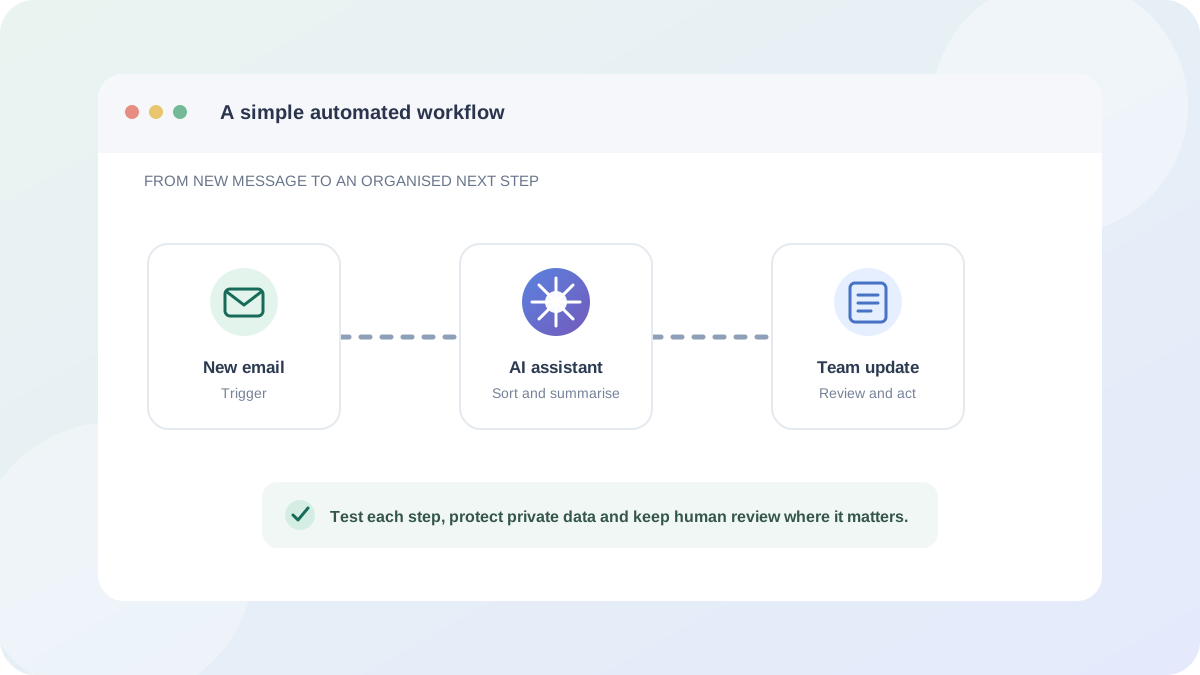
For example, a simple enquiry-triage process could look like this:
- A person submits a non-sensitive enquiry form.
- The workflow checks that the required fields are present.
- An AI step suggests a broad category and a short summary.
- The result is saved as a draft task for a team member to review.
- A person corrects the category if needed and decides how to respond.
Notice that the AI suggests rather than decides or sends the reply. A visible review step makes the workflow easier to trust and gives you a chance to catch an inaccurate summary before it affects anyone.
3. Use the simplest tool that fits
For drafting or summarising text, a general AI assistant may be enough: you can ask it to turn notes into a checklist and then review the result yourself. If the process must run when a trigger occurs or move information between apps, a workflow platform such as Make, Zapier or n8n may be more appropriate. Read our comparison of free AI tools for automating daily work for examples and free-tier considerations.
Before you connect accounts, check which permissions the integration requests and whether you can limit access to the relevant files, folders or actions. A “free” plan does not necessarily mean every connected service, AI model or usage level is free. Confirm the current plan limits, cancellation terms and data handling directly with the providers.
4. Check privacy and data handling first
Only send an AI service the information it needs for the task. Avoid putting passwords, payment details, health information, confidential business records or identifiable customer details into a tool unless you have checked that the use is authorised and suitable. Removing names alone may not anonymise information if other details can still identify a person.
For a workplace process, check your organisation’s policies and the provider’s terms, privacy information, retention controls, available security settings and any relevant agreement before connecting data. Consider where information is processed and who can access it. If you are unsure whether a workflow is appropriate under data-protection law, seek advice from a qualified privacy professional or your organisation’s data-protection lead.
UK and European data-protection requirements depend on the organisations, people and processing involved; a generic checklist cannot establish legal compliance. The European Commission’s data-protection information is a useful starting point for EU context. In the UK, consult the Information Commissioner’s Office guidance for organisations.
5. Test normal cases, edge cases and failures
Do not test only with a perfect example. Try a typical input, an incomplete submission, unexpected formatting and an input the AI should not be able to classify. Check that the workflow stops safely if a connected service is unavailable or the model returns an empty or unsuitable response.
- Use sample or synthetic data while you are learning the workflow.
- Check each step’s output, not just the final result.
- Set up a clear failure notification and know how to pause the automation.
- Prevent accidental duplicate actions when the same trigger runs twice.
- Keep a record of what the workflow does and who is responsible for it.
For any action that sends a message, publishes content or changes an important record, begin with a draft or approval step. Only consider removing that check after you have evidence that the process is reliable and the consequences of a mistake are acceptable.
6. Review the workflow as services change
Automations can break when an app changes its fields, permissions or pricing. Review them periodically and whenever you change a connected account. Remove access that is no longer needed, update instructions when the process changes and stop using a workflow that no longer produces dependable results.
Measure whether the automation actually saves time and reduces errors. If people spend more time correcting outputs than doing the original task, simplify the steps or switch it off. A manual process that is clear and dependable can be better than a fragile automation.
A short pre-launch checklist
- The task is frequent, repeatable and low-risk enough to automate.
- Each trigger, input, action and owner is documented.
- The workflow uses only the information and permissions it needs.
- Provider terms, current costs and privacy settings have been checked.
- Typical, incomplete and unexpected inputs have been tested.
- There is a way to review outputs, spot failures and pause the workflow.
- People affected by the process are not misled about automated decisions.
Conclusion
The most useful AI automation is usually modest: it handles a well-defined, repetitive step and leaves judgement with a person. Choose one suitable task, map it before selecting a tool, protect the information involved and test the workflow before relying on it. Revisit the process when the software or your needs change.
This guide is general information, not legal or professional advice. For our editorial approach and corrections, visit About Us. For privacy information, read the Privacy Policy.